
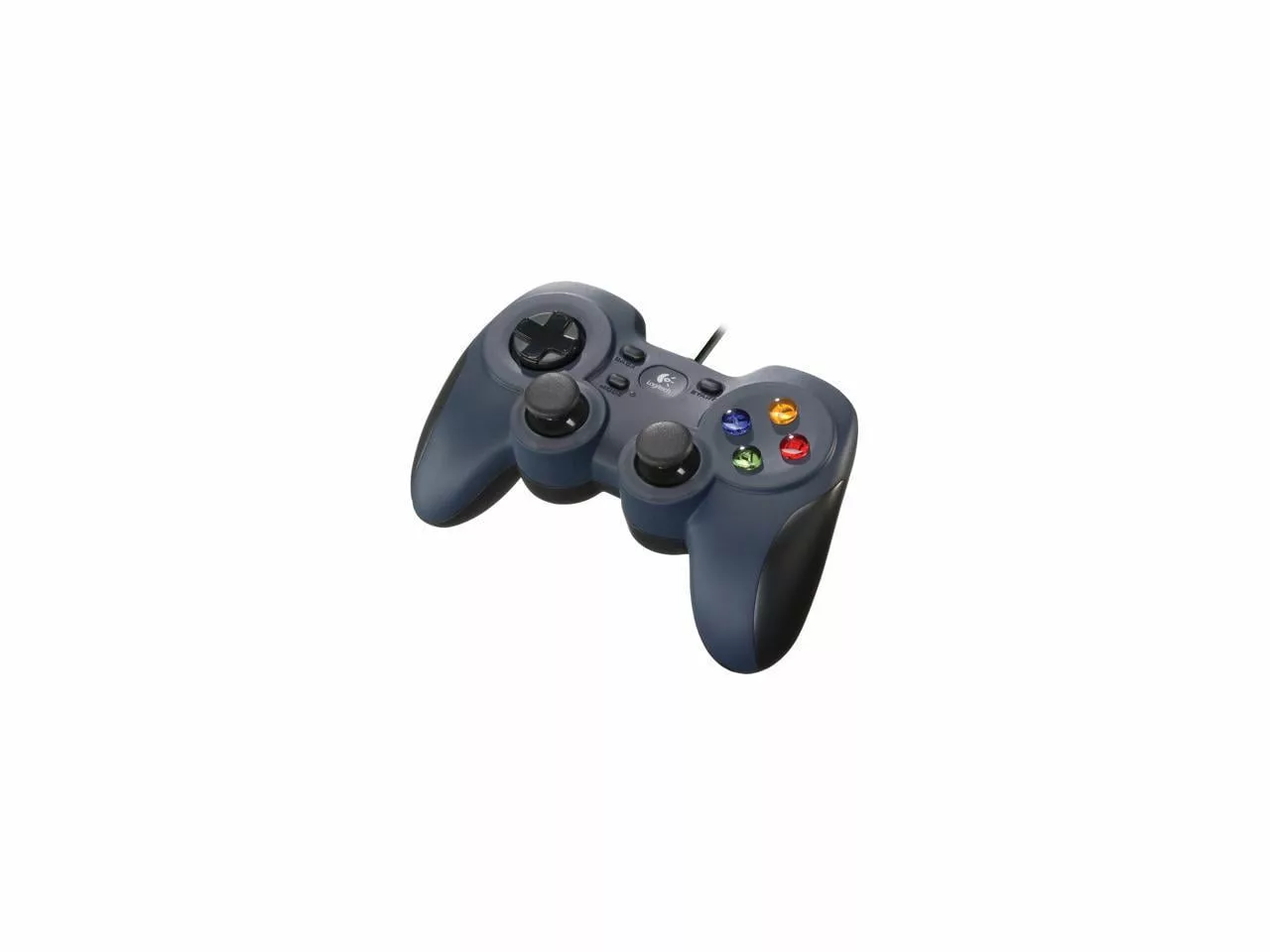
Randomly walked into the local Goodwill today as I do a couple times a month or so and found a Logitech F310 game controller. It’s basically a clone of the game controller on the Xbox for use on PC’s however it does have a switch on the bottom that can put it in PlayStation compatible setup mode though I don’t think I’ll be needing that though admittedly it’s nice to have. It was definitely used lovingly with some scratches and badly engraved marks denoting X and Y buttons might be swapped however I don’t think this is the case. I loaded up a quick game (Subnautica) and configured it for game controller and BAM, that’s it. The controller worked flawlessly with all buttons responsive and working and pulling up all the right menu’s and actions with the associated button presses.
The cost was $6.99US (the lowest new I found online was $14.99US so still good deal) which might be a little on the high side for something used coming from Goodwill however I scored on a wireless mouse they mislabeled a couple weeks ago so I didn’t feel so bad. The mouse was one of those small form factor Logitech wireless mice with the dongle in it’s spot in the battery compartment! It took a single battery and was labeled for whatever reason @ 0.90US and I needed a small spare wireless mouse to throw in my spare laptop bag with the spare early 2011 MacBook Pro sitting in it which I use when I’m on the go. Perfect.
Now normally when I play games I do usually use the keyboard and mouse, especially for first person games, however there are a bunch of games that can can be fun with the game controller as well. Sideways scrollers, driving games, and top down boss battle games are just a few games that a game controller can be useful for. Then there are the arcade type games made for joystick/game pad action. Plus it’s great to have a game controller when using game and machine emulators.
Goodwill is great for finding random stuff. I occasionally go there looking for something specific however the proper Goodwill experience is usually had when walking in to the store randomly straight off the street and having the time to properly search through the various racks and cases like some homeless person desperate for that tchotchke you didn’t even know you desperately needed. My mom was an antiques dealer and professional junk shop shopper god rest her soul and I’m sure glad that part of her rubbed off on me, somewhat deeply, as I also have become quite the expert junk shop shopper money saver yeah I’ll wear your old pants type of dude… 😉
Please visit my Patreon page if you’re so inclined or make a donation. Or you can click the coffee cup in the bottom right corner of the screen and Buy Me A Coffee. Thank you!
I had been having some problems with this controller a few months ago so I took it apart and cleaned it up. It did seem to perform better for a little while and then it went to sticking and having problems moving to the left.
So I took it apart again today. I did a thorough cleaning. I just used a new paper towel and damped it with water only. The I took the joystick completely apart and went through the motions of cleaning it again. But this time I did it thoroughly and properly. Another thing I did that as different was that there are the rubber pads inside the joystick between the buttons and the contact point on the circuit board. This time I cleaned all of those thoroughly as well, getting underneath them to clean the contact as well and this time the joystick operates like it did when I first got it! It works so good now that I have gone back to the joystick for certain games.
Used mostly for platformers and those variety of games but sometimes you come across a game that almost seems impossible to play via keyboard (here’s looking at you The Rogue Prince of Persia) and the game is almost unplayable without a joystick so I’m glad I have this one.
This particular joystick is basically a clone of the original XBox joystick, just a little more slim and ergonomic. It has the little X/D button for XInput or Direct Input. Two analog joysticks, a d-pad the standard 4 XABY and also start, back, and mode buttons. LB/LT and RB/RT buttons are there of course to simulate all the original XBox controller buttons and honestly it works like a dream.
I’m glad I took another go at cleaning it up to get more life out of it. Plus I’m use to it and that makes a big difference as I’ve had this 5+ years.